Most consumer brands are still compiling financial reports the same way they did five years ago: downloading CSV files from five different systems, reconciling mismatched product names in spreadsheets, and hoping the formulas don't break before the board meeting. By the time you've manually pulled together last month's performance, you've already committed to this month's inventory orders without current data to guide those decisions.
Automated financial reporting eliminates that gap by connecting directly to your sales channels, accounting systems, and retail portals to generate reports without manual data entry. This guide covers which reports matter most for consumer brands, how automation works behind the scenes, and what to look for when evaluating platforms built for businesses managing thousands of SKUs across multiple channels.
Key takeaways
- Automated financial reporting connects directly to sales channels like Shopify, Amazon, and retail portals to generate reports without manual data entry, eliminating the weeks-long gap between business events and financial insights.
- Consumer brands managing thousands of SKUs across multiple channels require real-time visibility into product-level profitability, inventory aging, and cash flow forecasting that manual spreadsheet processes cannot deliver at the required speed and accuracy.
- Finance teams using automated reporting meet or exceed ROI expectations 92% of the time because they make decisions based on current data rather than outdated manual compilations from multiple disconnected systems.
- The automation process involves direct API integrations to sales channels, centralized data warehousing with ETL processes, real-time calculation engines for metrics like gross margin, and scheduled report delivery with exception-based alerts.
Why automated financial reporting matters to consumer brands
Automated financial reporting uses software to generate reports directly from your connected data sources (no manual data entry required). For consumer brands, this means pulling transaction data from Shopify, retailers, and marketplaces, and your accounting system into a single platform that calculates metrics and builds reports without you lifting a finger.
Here's why this matters more for consumer brands than most other businesses. When you're managing thousands of SKUs across multiple sales channels, manual reporting can't keep up with the speed of decisions you face. A promotional discount on Amazon affects your gross margin the moment it goes live. A stockout at Target impacts your cash flow within hours. Seasonal demand swings require weekly visibility (sometimes daily) to stay ahead of what's coming, making real-time inventory visibility essential.
Traditional spreadsheet-based reporting creates a dangerous gap between what's happening in your business and when you actually find out about it. By the time you've manually pulled last week's sales from five different channels, reconciled inventory movements, and calculated product-level margins, the insights are already outdated. Automated reporting closes that gap completely, delivering the kind of immediate visibility that drives real results. Finance teams that have made this shift report meeting or exceeding their ROI expectations 92% of the time, largely because they're finally making decisions based on current data rather than last week's reality.
Key reports every consumer brand should automate
The most valuable reports for consumer brands go beyond standard financial statements. While income statements and balance sheets matter for compliance, the reports that drive daily decisions focus on channel performance, product profitability, and inventory health.
Sales flash by channel
A sales flash report shows revenue performance across all your sales channels in real-time. You see yesterday's sales from your Shopify store, Amazon marketplace, Target purchase orders, and Walmart orders in a single view, updated automatically each morning before your first coffee.
For consumer brands selling through multiple channels, this report reveals which channels are trending up or down before those shifts compound into bigger problems. When one channel underperforms, you can investigate the same day rather than discovering the issue weeks later during month-end close.
Gross margin by SKU
Product-level profitability analysis includes your full landed cost: manufacturing, shipping, duties, Amazon referral fees, and any other costs that eat into your margin. This report shows which products actually make money and which ones just generate revenue without profit.
Consumer brands often discover their best-selling products aren't their most profitable ones. Automating this calculation across thousands of SKUs reveals pricing opportunities and helps you decide which products deserve more marketing spend versus which ones you're better off discontinuing.
Inventory aging and obsolescence
This report tracks how long each SKU has been sitting in your warehouse or 3PL facility. Slow-moving inventory ties up cash that could fund new product development or marketing campaigns. Aged inventory often ends up sold at steep discounts or written off entirely.
Automated inventory aging reports flag problem SKUs before they become critical. You'll see which products are approaching 90, 120, or 180 days of age, giving you time to plan promotions or liquidation strategies while the inventory still has value.
Cash flow forecast vs actual
Weekly cash position tracking incorporates your outstanding purchase orders, payment terms with suppliers, expected collections from retail partners, and seasonal patterns specific to your business. This report shows whether you'll have enough cash to fund your next inventory order or if you'll face a shortfall in six weeks.
Consumer brands face unique cash flow challenges because you typically pay suppliers before retail partners pay you. A 60-day payment term from Target means you're funding inventory and operations for two months before seeing revenue, making accurate cash forecasting essential for any growth plan.
Budget vs actual variance
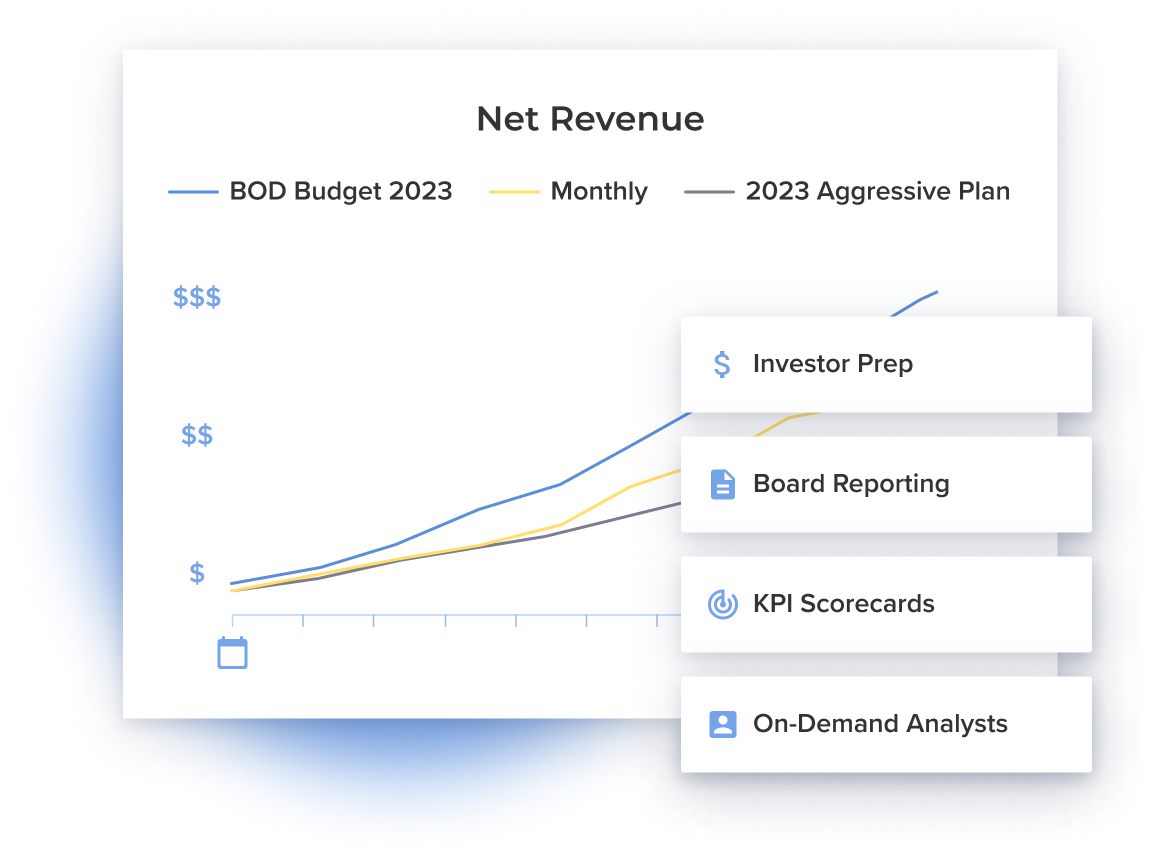
Monthly performance tracking compares your actual results to your financial plan, with the ability to drill down from company-level variances to specific SKUs and channels. This report answers whether you're on track to hit your targets and where you're deviating from the plan.
The real value comes from drill-down capability. When revenue misses budget by 15%, you can immediately see whether the miss came from Amazon underperformance, a specific product line, or a broader market issue (without manually piecing together data from five different sources).
Customer cohort profitability
Lifetime value analysis groups customers by their acquisition date and channel, showing which marketing investments generate profitable customers versus which ones attract one-time buyers. This report connects marketing spend to long-term profitability rather than just first-purchase revenue.
For DTC brands especially, understanding cohort economics determines whether your customer acquisition strategy is sustainable or burning cash. You might discover that customers acquired through paid social have lower lifetime value than customers from organic channels, fundamentally changing your marketing allocation.
Challenges of manual financial statements
Manual reporting creates three critical problems for consumer brands: data silos, compounding errors, and timing delays that miss decision windows.
Your sales data lives in Shopify and Amazon Seller Central, inventory data sits in your 3PL's system, and financial data resides in QuickBooks. Pulling information together manually means downloading CSV files, reformatting columns, and using VLOOKUP formulas that break whenever data structures change.
When you're working with thousands of SKUs and multiple sales channels, a single misplaced decimal or broken formula compounds across your entire reporting package. Manual errors often go unnoticed until they've already influenced major decisions about inventory purchases or pricing changes.
Manual processes take days or weeks to complete, which means you're making decisions based on outdated information. By the time you've compiled last month's performance, you've already committed to this month's inventory orders and marketing spend without current data to guide those choices.
How finance reporting automation works behind the scenes
Understanding the technical process helps you evaluate solutions and set realistic expectations. The workflow follows four main stages that transform raw data into actionable reports.
Direct integrations to sales channels
Native connections to eCommerce platforms and retail portals eliminate manual data downloads. The automation software connects directly to Shopify's API, Amazon's Seller Central, Target's vendor portal, and Walmart's systems to pull transaction data automatically (typically on a daily schedule or in real-time).
Direct integrations capture not just revenue but also returns, refunds, promotional discounts, and channel fees that affect your true net revenue. For retail partners like Target or Walmart, the integration pulls purchase order data, shipment confirmations, and payment information that manual processes often miss or record inconsistently.
Central data warehouse and ETL
Once data arrives from multiple sources, the system cleans and standardizes it into a unified format. ETL (Extract, Transform, Load) processes handle tasks like matching product names across systems, converting currencies, and reconciling timing differences between when a sale occurs and when it's recorded in your accounting system.
This standardization step is crucial for consumer brands because different channels report data differently. Amazon might list a product as "Blue T-Shirt - Large" while your Shopify store calls it "T-Shirt-BLU-L" and your accounting system knows it as SKU "TS-001-BL-L." The automation maps all variations to a single product record.
Real-time calculation engine
Automated computation of margins, inventory turns, and other KPIs happens as new data arrives. The system applies your cost basis, allocates overhead, factors in channel fees, and calculates metrics like gross margin, contribution margin, and inventory turnover without manual intervention.
For consumer brands managing complex cost structures (think landed costs that vary by shipment, promotional allowances that change weekly, or volume discounts that kick in at certain thresholds), automated calculations ensure consistency and accuracy across thousands of SKUs and transactions.
Automated delivery and alerts
Scheduled report distribution sends dashboards and statements to stakeholders automatically, while exception-based notifications flag unusual variances immediately. You might receive your daily sales flash at 8 AM each morning, your weekly cash forecast every Monday, and an instant alert if any product's margin drops below your threshold.
This automated delivery means executives, operations teams, and finance staff all work from the same data at the same time. No more version control issues where different stakeholders reference different spreadsheet versions with conflicting numbers.
Steps to automate financial statements end to end
Moving from manual processes to automated reporting follows a logical sequence. Skipping steps or rushing through them typically creates problems that slow adoption and undermine the value you're trying to capture.
1. Inventory data cleanup
Standardize SKU naming, product hierarchies, and cost basis before connecting any systems. If your product data is inconsistent across channels (different names, missing cost information, or unclear categorization), automation will just replicate that mess faster.
This cleanup phase often reveals opportunities to simplify your product structure. You might discover duplicate SKUs that represent the same product, or realize your category hierarchy doesn't align with how you actually analyze the business.
2. Connect and map data sources
Link eCommerce platforms, accounting systems, and retail portals to your automation platform. The mapping process tells the system how to interpret data from each source: which field represents revenue, how to identify returns, where to find product costs.
Start with your highest-volume or most important channels first. Getting Shopify and QuickBooks connected and validated before adding Amazon and retail partners lets you build confidence in the system incrementally rather than trying to validate everything simultaneously.
3. Define standard report templates
Create repeatable formats for key stakeholders: board reports that focus on high-level metrics, operational dashboards that track daily performance, and investor updates that emphasize growth and profitability. Templates ensure consistency in how information is presented and make reports easier to consume.
The best templates balance comprehensiveness with readability. Your board likely wants to see revenue, gross margin, and cash position without drilling into SKU-level detail, while your operations team needs that granular view to make inventory decisions.
4. Schedule automated runs and approvals
Set up daily, weekly, and monthly report cycles with appropriate review workflows. Daily sales flashes might generate automatically without review, while monthly financial statements go through a validation step before distribution.
Schedules align with your actual decision-making cadence. If you review cash flow every Monday morning, schedule that report to generate Sunday night so the data is ready when you are.
5. Iterate with scenario planning
Use your automated baseline to build forecasting models and what-if scenarios. Once you trust your historical reporting, you can layer on predictive capabilities using rolling forecasts (modeling how a price increase affects margin, or how accelerating inventory purchases impacts cash flow).
This iteration phase is where automation moves from time savings to strategic value. Instead of spending time compiling historical data, your team can focus on using that data to make better decisions about the future.
Turn insights into action with Drivepoint
Automated financial reporting transforms how consumer brands understand and run their business, but the real value comes from what you do with the insights. When you can see product-level profitability in real-time, identify cash flow gaps before they become critical, and model growth scenarios with confidence, you make fundamentally better decisions about where to invest and how to scale.
Drivepoint's AI finance platform was built exclusively for consumer brands because we understand your unique challenges. Direct integrations to Shopify, Amazon, Target, Walmart, and other retail channels give you real-time visibility into what's actually happening across your business. Our SKU-level forecasting and planning capabilities handle the complexity of managing thousands of products while our embedded analyst support means you're never figuring it out alone.
The consumer brands seeing the best results with Drivepoint aren't just saving time on reporting. They're improving EBITDA margins by an average of 6.7 points within their first year. That improvement comes from better visibility leading to better decisions: optimizing product mix, improving inventory turns, and allocating resources to the highest-return opportunities.
Book a demo to see how Drivepoint transforms financial reporting from a backward-looking compliance exercise into a forward-looking strategic advantage. We'll show you exactly how our platform handles your specific channels, SKU count, and reporting needs (with implementation timelines and pricing tailored to your growth stage).