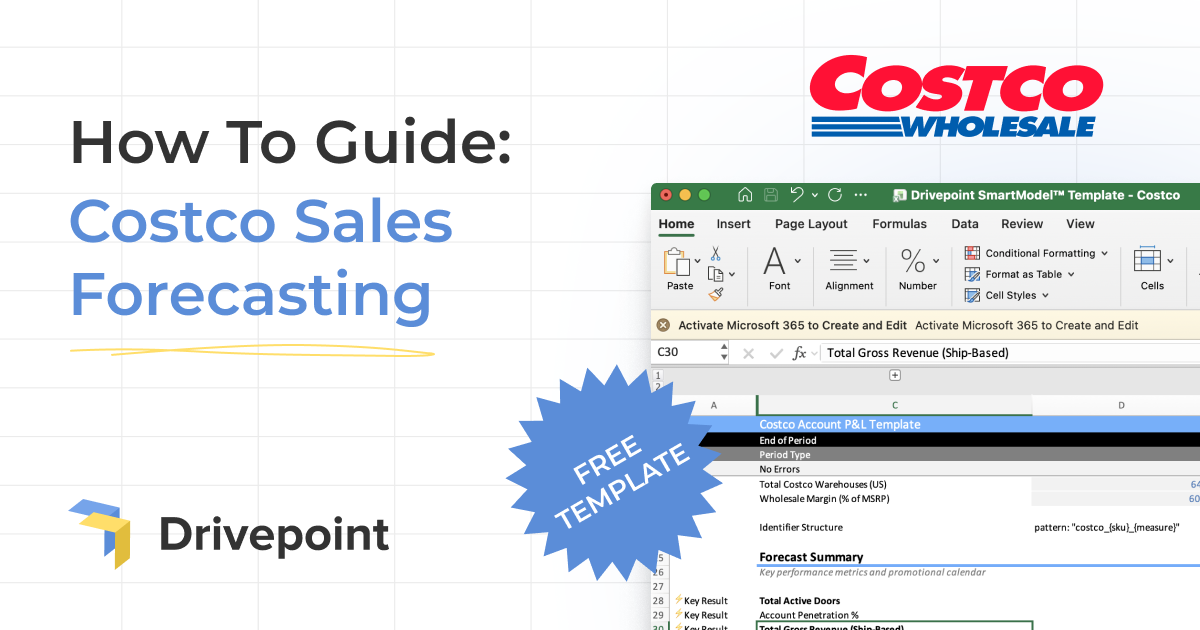
A complete guide to Drivepoint's Costco Account P&L Template, built for consumer brands navigating the financial complexity of warehouse retail.
Landing a Costco partnership is one of the most exciting and financially consequential deals a consumer brand can make. The volume potential is enormous. So is the complexity. Between bulk-format pricing, a promotional calendar driven by quarterly Member Savings coupon books, roadshow events that require a completely different operational model, the scan-to-ship timing offset, and a 640-warehouse US footprint with highly variable velocity by location and region, forecasting a Costco account accurately is genuinely difficult.
Most brands handle it the way they handle everything else: a spreadsheet thrown together over a few long nights, built on round-number assumptions and optimistic lift estimates. The coupon book months get guessed. The scan-to-ship timing offset gets ignored entirely. Trade deductions get lumped into a single line. And by the time you've produced an answer, you've either already committed to a production run or missed the buyer's planning window.
We built this template to change that. Below is a complete walkthrough of Drivepoint's free Costco Account P&L Template: what it does, why it's structured the way it is, and how to use it to plan and forecast your Costco business with the rigor this channel actually demands.
[[Download the free Costco Sales Forecasting Template →]]
Why Costco Forecasting Is Different
Before walking through the template, it's worth understanding what makes Costco financially distinct from every other retail partner you manage, because each of these realities is built directly into the template's structure.
Costco operates warehouses, not stores, and the distinction matters more than semantics. With approximately 640 US warehouse locations, Costco has a smaller physical footprint than Target or Walmart, but the volume per location can be dramatically higher. A single Costco warehouse selling your product consistently outperforms many conventional grocery doors combined. That makes door count and warehouse-level velocity the most critical drivers in your model, and getting them right matters more here than almost anywhere else.
Costco is also a scan-based retailer, which means revenue recognition works differently than a standard wholesale PO. Consumer purchases at the register (scan revenue) drive replenishment, but your financial statements recognize revenue when product ships to Costco's distribution centers, typically two months before those scans occur. If you model these two timing streams the same way, your forecast will be wrong in ways that compound quickly given Costco's volume.
The promotional mechanics at Costco are unlike any other major retailer. The quarterly Member Savings coupon book is the dominant promotional vehicle, running in April, July, and October as Heavy promotional months. These aren't optional events you can opt into or skip. If your product is featured in the coupon book, you're committing to a significant trade investment and need to have inventory ready well in advance of when those coupons are redeemable. Getting your inventory and cash position wrong around a coupon book month is one of the fastest ways to damage a Costco relationship.
Roadshow events add another layer of complexity. Costco's Spring and Fall Roadshow seasons (March and September) bring brands into warehouses for in-person demonstration periods that drive meaningful incremental scan volume. If you participate in roadshows, your model needs to reflect that, because a roadshow month with strong execution looks nothing like a non-roadshow month from a demand planning perspective.
Finally, Costco's trade terms include several deduction types that need to be modeled carefully: bill-back allowances, co-op advertising, display and slotting fees, early pay discounts, and promotional allowances tied to coupon book participation. Every one of these affects your net revenue. Missing even one gives you a false read on channel profitability.
The template handles all of it, automatically.
Template Overview
The workbook contains three tabs:
READ ME: Quick start guide, settings explanation, and a summary of how the template is structured. Start here before you enter a single number.
Costco: The main account P&L. This is where you enter assumptions and where all outputs live, from scan-level unit economics to contribution profit.
Costco Promo Calendar: A pre-built 2026-2027 promotional calendar with Costco-specific events, intensity ratings, and guidance notes for each month. Reference this when setting your promo flags in the main tab.
The forecast horizon runs from January 2024 through December 2027, with actuals through December 2025 and forecast periods beginning January 2026. Gray cells are inputs; everything else calculates automatically.
Step 1: Configure Your Settings
Before entering any SKU-level data, review the Settings section at the top of the Costco tab (rows 16-21). These parameters drive how the entire model calculates.
Shipment Lead Time (Months): Default is 2 months. This is the scan-to-ship offset: if members scan your product at Costco registers in Month 3, the model assumes you shipped to their DCs in Month 1. Given Costco's volume, getting this right is especially critical for cash flow modeling. A two-month offset on a large coupon book shipment represents significant cash out the door well before revenue is recognized.
Total Costco Warehouses (US): Default is 640, reflecting Costco's current US warehouse count. This drives the Account Penetration % metric in the Forecast Summary. If you're in a subset of warehouses, your door count inputs will automatically calculate your penetration rate against the full footprint.
Wholesale Margin (% of MSRP): Default is 60%, meaning your wholesale price to Costco is 60% of your suggested retail price. Adjust this to reflect your actual negotiated terms, and it will flow through all revenue calculations. Note that Costco's member value proposition creates pressure toward competitive margins; your actual wholesale percentage is worth double-checking against your buyer agreement before modeling.
FY View Settings: The model defaults to viewing FY2025, FY2026, and FY2027. These can be adjusted but typically don't need to be changed.
Step 2: Review the Promo Calendar
Before entering any forecast assumptions, open the Costco Promo Calendar tab and study the 2026-2027 promotional cadence. The calendar maps every month to a promo intensity level (None, Moderate, or Heavy), the associated event name, and guidance notes.
Understanding Costco's promotional structure before you build your forecast is important because it's more predictable than most retailers and the swings between Heavy and non-promo months are larger. Here's what to know:
April, July, and October are all Heavy intensity months driven by Costco's quarterly Member Savings coupon book. These are the three major promotional events in the Costco calendar year. July's coupon book is noted as the major quarterly event and historically drives the strongest lift. If your product is featured in any of these months, model it as a Hard commitment: you need inventory ready to ship roughly two months prior, and your promo allowance flows directly through your P&L.
November and December are also Heavy, anchored by Holiday Pre-sell and Holiday Entertaining. Costco's membership skews toward higher household income, and holiday gifting and entertaining at Costco is significant. For food, beverage, and gifting categories, these two months deserve your closest attention in scenario planning.
March and September are Moderate intensity months tied to Costco's Spring and Fall Roadshow Seasons. If you participate in roadshows, you'll want to model those months with a higher promo lift factor than a standard moderate promotional month would suggest. Roadshow velocity depends heavily on execution quality and product category, so pull comparable data if you have it.
June is the one None intensity month on the calendar (Summer Transition), a light promotional period where coupon book inclusion typically isn't available. Plan your inventory and cash timing accordingly.
The remaining Moderate months (January, February, May, August) tie to New Year Health Push, Valentine's Day, Memorial Day, and Back-to-School respectively. These are real events with moderate lift potential but don't carry the same mandatory trade investment as the coupon book months.
Step 3: Enter Your SKU-Level Assumptions
The main Costco tab is organized by SKU, supporting up to five SKUs in the current template. For each SKU, you'll enter six inputs in the gray cells:
Active Doors: How many Costco warehouses carry this SKU in a given month. Model door expansion month by month if you're building distribution over time. At Costco, warehouse-by-warehouse distribution often builds through regional buyer relationships rather than system-wide rollouts, so don't assume full penetration from day one.
Baseline Units/Door/Month: Your expected unit velocity per warehouse per month in a non-promotional period. This is your most important foundational assumption and the one most brands get wrong on their first Costco model. Costco's members buy in bulk, so unit velocity per warehouse can be dramatically different from what you'd expect in conventional grocery. If you have scan data from existing Costco locations, use it. If you're launching, look for comparable product category benchmarks and model conservatively.
Regular Retail Price: Your MSRP at Costco. Note that Costco's pricing model often involves multi-packs or value bundles rather than single-unit pricing. Make sure your MSRP input reflects the actual item configuration being sold in warehouse, not a single-unit price from another channel.
Promo Flag (0 or 1): Set to 1 for promotional months, 0 for non-promo. Reference the Promo Calendar tab to align with the coupon book cadence. For roadshow months where you're participating, you'll also want to flag those as promotional since the event drives incremental velocity above your baseline.
Promo Discount % (e.g., 0.20 = 20% off): The percentage reduction off your regular retail price during the promotional period. For coupon book months, this is your committed coupon value. This affects both scan revenue (members pay the discounted price) and your promo allowance (Costco expects the corresponding trade investment from you).
Promo Lift Factor (e.g., 2.0 = 100% lift): The unit volume multiplier you expect during a promotional month. Coupon book months at Costco can drive significant lift, but the range of outcomes is wide and highly product-category dependent. Run multiple scenarios here: a conservative 1.5x, a base case of 2.0x, and an optimistic 2.5x or higher. The difference between a 1.5x and 2.5x lift on a 640-warehouse distribution footprint is a very large number of units and a very different inventory commitment.
The model automatically calculates baseline units, promo units, and total units for each SKU, then rolls them up to total scan units and scan gross sales across all SKUs.
Step 4: Understand the Scan-to-Ship Revenue Bridge
This is where most Costco models fall apart when built manually, and the financial consequences at Costco's volume are significant.
The Scan-Based Sales section models member purchase activity at the register. This is your demand signal: what's actually moving off warehouse shelves, which drives replenishment orders and informs your inventory plan.
The Ship-Based Revenue section is what appears on your income statement. Revenue is recognized when product ships to Costco's DCs, not when it scans at the register. With the default two-month lead time, your October shipment revenue shows up in your August financial statements. For coupon book months where you're shipping large volumes ahead of redemption periods, this timing offset can create meaningful gaps between your cash outflows and your revenue recognition.
If your actual lead time with Costco differs from the two-month default, adjust the Shipment Lead Time setting and the entire model recalculates. Getting this right is especially important at Costco's scale, where a one-month error in your timing assumption can materially misstate your quarterly cash position.
Step 5: Review Your Trade Deductions
The deductions section is where Costco's economics get real, and where brands who haven't modeled carefully get surprised. Five distinct deduction types are built into the template:
Bill-Back Allowance %: A percentage of gross sales that Costco bills back as a trade investment. Enter your negotiated rate. Template default is 5%.
Co-op Advertising %: Advertising support deducted from gross revenue, tied to Costco's marketing programs. Default is 2%.
Display/Slotting Fees: A fixed dollar amount for placement fees, entered directly in the input row and flowing through to net revenue as a deduction.
Early Pay Discount %: If you offer a discount for early payment, model it here. Default is 1%.
Promotional Allowances: This flows automatically from the scan section based on your promo flag and discount settings. It represents the trade investment tied to coupon book participation and roadshow events, and is already calculated from your SKU-level inputs above. You don't need to enter it separately.
The model sums all five into Total Discounts, then subtracts them from Gross Sales to arrive at Net Revenue. Watch your Total Trade % in the Forecast Summary closely. If it's running significantly higher than expected in coupon book months, that's a signal to revisit your negotiated terms or your promo allowance assumptions before you commit.
Step 6: Complete the P&L
With scan-based revenue, ship-based revenue, and trade deductions in place, the bottom of the template walks through the full P&L to contribution profit.
Returns %: Enter your expected return and damage allowance as a percentage of gross sales. Costco's return policy is famously member-friendly, which can make returns a more meaningful line item than in other retail channels. Model this accurately rather than assuming it's negligible.
Product Cost per Unit: Your COGS on a per-unit basis, applied to units shipped (not units scanned). You're paying for inventory when it ships, which for coupon book months means a significant cash outlay well ahead of when those sales are recognized.
From there, the model calculates Gross Profit, Gross Margin %, Total Variable Expenses (a single input line you can expand for more detail), Contribution Profit, and Contribution Margin %: the complete picture of what your Costco business actually returns after all variable costs.
Step 7: Read the Forecast Summary
At the top of the Costco tab (rows 28-34), six key metrics update automatically as you enter assumptions:
- Total Active Doors: Aggregate warehouse count across all SKUs for the month
- Account Penetration %: Your warehouse count as a percentage of total US Costco locations (640)
- Total Gross Revenue (Ship-Based): What hits your income statement
- Total Trade %: All deductions as a percentage of gross revenue, your effective rate of trade spend at Costco
- Total Net Revenue: Your take-home after all deductions and returns
- Contribution Profit: The bottom line
These six rows give you a fast read on account health for any month. The Total Trade % is particularly worth monitoring at Costco because coupon book months, when promotional allowances stack with your baseline deductions, can push your effective trade rate meaningfully higher than your non-promo months. If you see that concentration in Q4 or around the July coupon book, you'll want to factor that into your cash planning before you've committed to anything.
Practical Tips for Getting the Most Out of This Template
Model the coupon book months in multiple scenarios before buyer conversations. The July Member Savings event is the highest-stakes single month in most Costco brands' annual calendars. Run conservative, base, and optimistic lift scenarios before you're in the room with your buyer. Committing to a production run based on a 2.5x lift assumption when 1.5x is more realistic is an expensive mistake at Costco's volume.
Account for roadshow economics separately. If you participate in Costco roadshows, your March and September models need a different promo lift factor than a typical moderate promotional month. Roadshow lift is heavily execution-dependent and may also carry incremental variable costs (staffing, demos, travel) that should flow through your Total Variable Expenses line.
Update actuals monthly. The template covers 2024-2027 with actual and forecast period designations. As months close, paste in your actual scan data and shipment revenue. Variance against your forecast surfaces immediately, and you can reforecast forward before the next planning window opens.
Watch your Q4 cash timing carefully. Holiday Pre-sell in November means shipping in September. Holiday Entertaining in December means shipping in October. When you stack those shipments against your October coupon book shipments, Q3 inventory investment can create meaningful cash pressure. Model it explicitly so you're not surprised mid-year.
Model your warehouse distribution plan realistically. Costco distribution frequently builds region by region before going system-wide. If your buyer is starting you in the Northwest region, model those warehouses, not the full 640. An honest door count assumption produces a forecast you can actually defend.
When a Template Isn't Enough
This template gives you a solid foundation for Costco P&L modeling. But for brands managing multiple retail channels simultaneously: Costco alongside Whole Foods, Target, Walmart, Amazon, and DTC, the real challenge isn't any single retailer model. It's integrating all of them into a unified financial picture that rolls up to a complete P&L, cash flow, and inventory plan.
That's the problem Drivepoint is built to solve. Our platform creates your complete financial model in Excel, automatically updated with actuals from every channel, with AI-powered scenario planning on top. The same Costco mechanics in this template are integrated alongside every other channel you operate, with actuals flowing in from your data sources automatically.
The result: instead of spending days updating retailer spreadsheets, you spend your time on the questions that actually matter: which retail partnerships to prioritize, how to allocate trade spend across channels, and whether your inventory position can support the growth you're planning.
If you're running multiple retail channels and want to see what it looks like when your Costco model talks to your Target model talks to your Amazon model and produces a unified cash flow forecast, we'd love to show you.
[Book a demo with Drivepoint →]
Drivepoint is the intelligent FP&A platform built exclusively for consumer brands. Our customers improve EBITDA margins by 6.7 percentage points on average within their first year.