
There's a growing group of finance people using Claude for FP&A who've stopped asking whether AI can touch their models and started asking how to make it work in production. We're talking about actual recurring workflows where an agent is reading, editing, and rebuilding parts of a model that real decisions get made from — not demos or one-off scenario runs.
We've been deep in this for a while at Drivepoint, both in our own platform and watching customers do it on their own files. A few patterns have emerged that separate the teams getting real leverage from the teams who try it once, get burned, and go back to doing everything by hand.
Here's what we'd tell anyone setting up a serious agentic workflow on their financial models.
1. Build a protocol skill
The single biggest waste of time we see is letting Claude rediscover your model from scratch every time you open it. It opens the file, scans tabs, guesses at conventions, asks where the date spine lives, asks what your sign convention is for contra revenue, asks whether "Q1" means calendar or fiscal. By the time it's oriented, you've burned half your context window and a chunk of your patience.
The fix is to write a skill file. Ask Claude to walk through the logic flow of your model and decompose it into a structured description: where inputs live, where assumptions live, how the date spine is laid out, what each tab does, what your formatting and labeling conventions are. Then save that as a markdown file Claude can load at the start of any session working on that model.
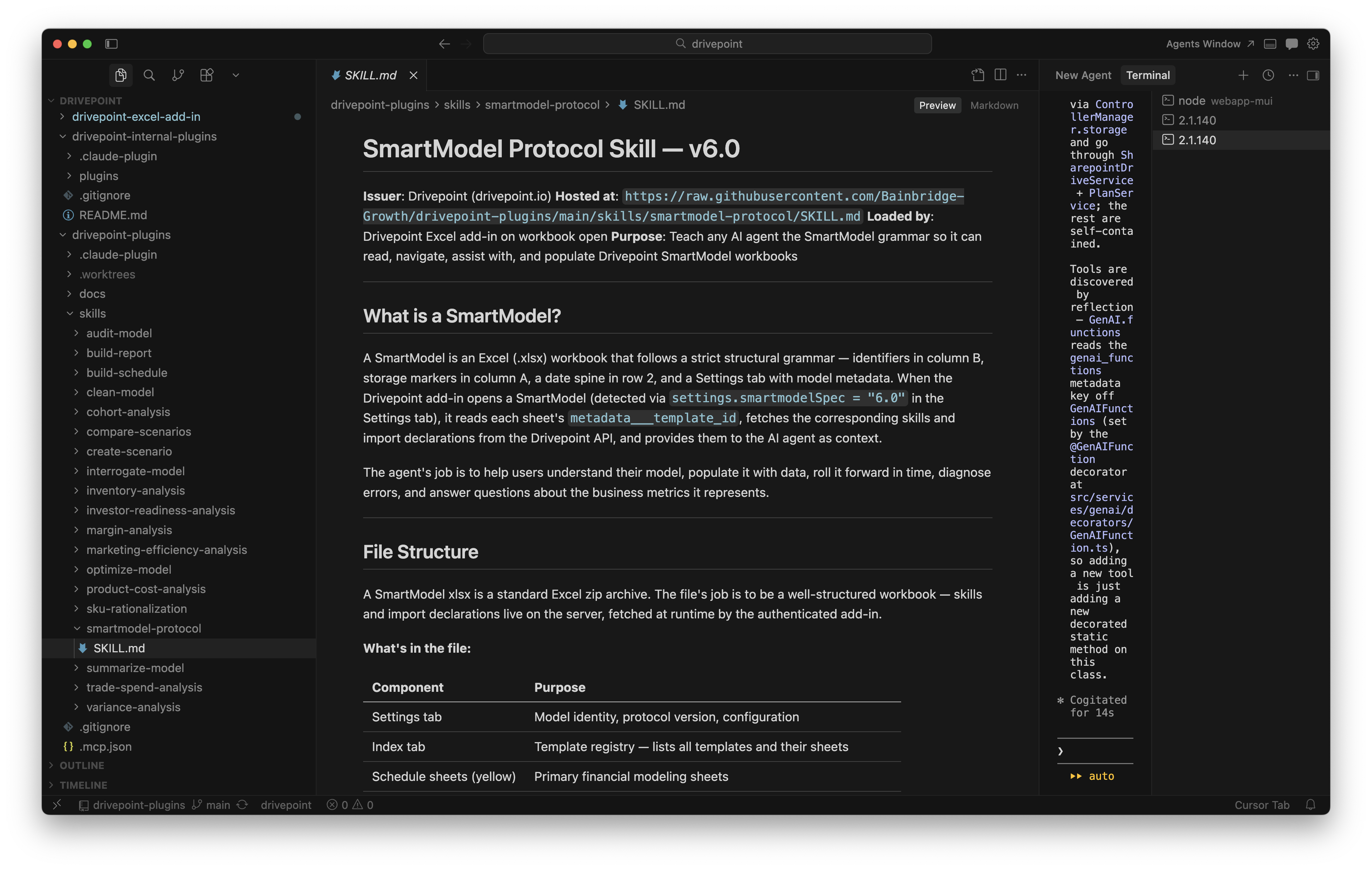
The date spine is the one to get religious about. Pick a convention (we'd argue for monthly columns running left to right on row 4, with a clear actuals-vs-forecast cutoff) and enforce it across every model your team owns. Once Claude knows where time lives, the rest of the model gets dramatically easier to reason about. Editing a driver, extending a forecast, or rolling actuals all become trivial. Without that convention, every model is a new puzzle.
Real example: a team we worked with was running a quarterly reforecast across six SKU-level revenue models. Pre-skill, each one took roughly 40 minutes of back-and-forth to get Claude oriented before any actual work happened. Post-skill, the orientation step disappeared and the actual reforecast work dropped to under 10 minutes per model.
For what it's worth, at Drivepoint we run a detailed master protocol skill alongside dozens of use-case-specific skills for analysis, model management, scenario work, and the rest. That's what gets us maximum speed and leverage, though the right structure for you depends on how your team works. Start with one solid master skill, then add narrower ones as you find yourself repeating the same instructions. You can download some of our free Claude Skills for FP&A here.

2. Put your skills in a GitHub repo
The second a skill is useful, someone else on your team will want it. The second two people are editing it independently, you have a versioning problem. Solve this on day one by creating a GitHub repo and managing your skills there. If you've never worked with Git before, the Pro Git book is the canonical free guide and gets you fluent quickly.

We'd recommend following the Claude plugin spec and directory structure rather than inventing your own. It keeps things organized, makes future you grateful, and gives you a clean path to start using Claude Code for skill development, tool integrations, and anything else you want to build on top.
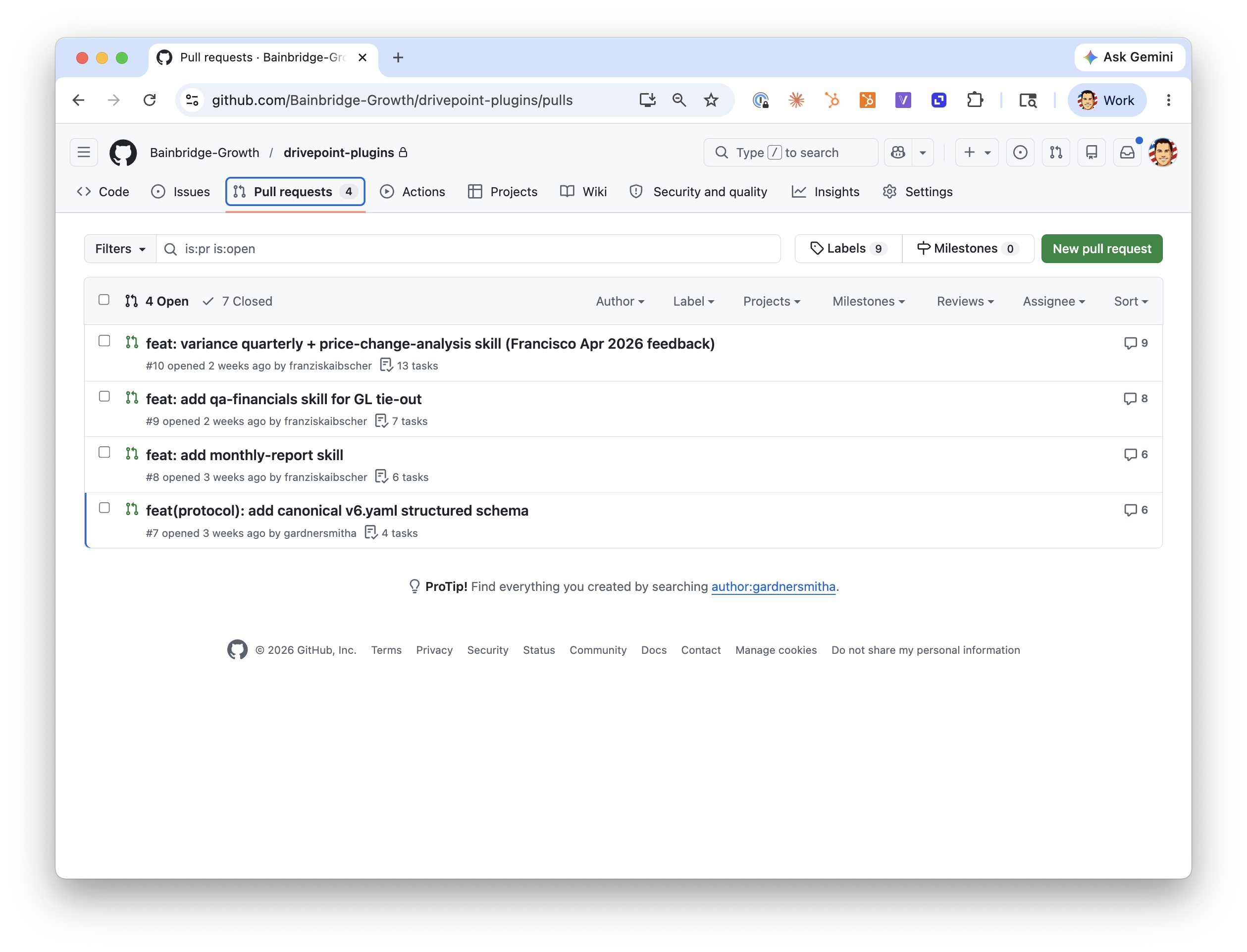
The bigger unlock is governance. With skills in a repo, you have one distribution point for the whole team. Teammates can write their own skills and submit them via pull request. You review what gets released. This matters more than it sounds. Once you have five or ten people on a finance team writing skills, you very quickly get conflicting conventions, half-tested logic, and skills that quietly contradict each other. A repo with PR review keeps the system coherent.
It also future-proofs you in a more important way: it keeps you from being completely dependent on Claude. If something better comes along in 18 months, you bring your skills with you. The conventions, the model logic, the team knowledge encoded in those files. That's yours, not Anthropic's. As your skill library grows into something more like an internal operating manual for how your team works with models, that portability matters more, not less.
This is something we've taken seriously at Drivepoint. Our skills are completely portable and work out of the box across Claude, Gemini, GPT, and whatever comes next. And our add-in means you don't have to switch surfaces to use them. The model environment stays the same regardless of which LLM is doing the work underneath.
3. Pre-process your data before you try to import it
Here's the trap. Someone gets excited about Claude for Excel, points it at a 200,000-row transaction export, and asks it to build a cohort analysis. Twenty minutes later they're staring at a frozen Excel window wondering if AI is actually useful.
The Claude for Excel add-in uses the Excel JavaScript API to read and write cells. That API is fast for normal model operations and slow for bulk data movement. It gets particularly painful in the 9 to 11am ET window when Microsoft's infrastructure is under load from the East Coast workday spinning up. Plan around it.
There are a couple of workarounds. One is to use Claude Code or Cowork locally to crack the Excel file into its component XML parts and inject a data sheet directly. This works and is fast, though it's brittle and puts you in single-player mode. Whoever has the file and the script on their machine is the only one who can refresh it.
The better answer for most teams is pre-processing. Pivot your data to the grain you actually need before you bring it into the model. If you're modeling monthly revenue by channel, you don't need 200,000 transaction rows in Excel. You need 36 months by 4 channels. Do the aggregation in SQL, in a notebook, or in BigQuery, then bring the summarized table into the model. Claude can help you write the aggregation logic, and you'll end up with both a cleaner import and a reusable data pipeline.
Use case to keep in mind: the workflows where this matters most are recurring imports. Pulling Shopify data for a monthly close, refreshing ad spend by channel, rolling actuals into a forecast. Anything you'll do more than twice is worth pre-processing properly.
This is core to how Drivepoint works. All of our imports are pre-processed and pre-pivoted, which makes the import itself faster and lets the model use direct cell references instead of expensive lookup formulas. XLOOKUPs across large tables are one of the quietest performance killers in Excel-based models. The model feels slow, the agent feels slow, and nobody's quite sure why. Pre-pivoting fixes that at the source.
4. Write down your version control conventions
This is the one teams skip and regret. The more freedom you give agents to edit your models, the more you need a clear record of what changed, when, and why.
You can use Git for this directly. Turn on Git LFS so it handles larger Excel files cleanly, and you get real version history on your models. For teams that want this level of rigor, it's transformative. You can branch a model to test a scenario, merge it back if it works, and roll back if it doesn't.
Even if you don't want to go full Git, write down conventions. How files are named. Where the canonical version lives. How you mark a model as locked for board prep versus open for editing. What gets archived and when. These sound boring until the morning you discover three people have been editing three different copies of the Q3 forecast and nobody knows which one is right.
The agentic workflows make this more urgent, not less. When a human is the only one editing a model, version drift is slow and recoverable. When an agent can make 50 edits in 20 minutes, you need the discipline upfront.
Drivepoint handles this side of the workflow with a full version control and access management backend. Save, store, diff, and manage permissions across models and across the team. If you'd rather not build the Git-for-spreadsheets layer yourself, that's the kind of thing we built the platform to absorb.
The meta point
The teams getting the most out of Claude on financial models aren't the ones with the cleverest prompts. They're the ones who've invested in the surrounding system. Conventions, skills, data hygiene, version control. The model layer is doing more and more of the work, which means the leverage has moved to the layer around it.
If you're building this out and want a head start, we've been working on the SmartModel Protocol as an open standard for making financial models AI-readable. You can download the protocol skill and use it as a starting point for your own setup.